3D Secure (3DS) is an authentication protocol for card payments. It adds a step in which the card issuer can check that the person paying is the legitimate cardholder. Stripe describes it as a security layer that helps reduce fraud risk for businesses and their customers. Buyers may recognize it from card network branding such as Visa Secure, Mastercard Identity Check or American Express SafeKey.
The short answer on disputes: when a payment is successfully authenticated with 3DS and later disputed as fraud, liability typically shifts from you to the card issuer. Stripe is explicit that this is not guaranteed for any specific payment or dispute, and it has no effect on disputes about delivery, product quality or refunds.
How 3D Secure works
From the buyer's side, Stripe describes the flow in three steps:
- The buyer enters their card details at checkout.
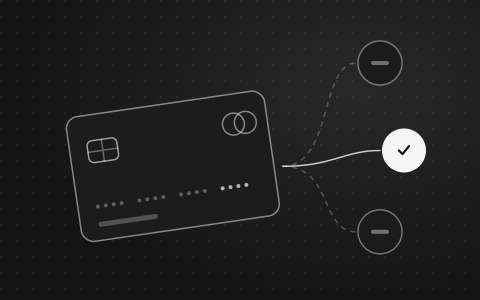
- The buyer's bank assesses the transaction and can complete 3DS at this step without asking the buyer for anything. This is often called a frictionless flow.
- If the bank requires it, the buyer completes an extra step, typically a password, a one-time code sent to their phone, or biometric verification. This is called a challenge flow.
If authentication succeeds, Stripe attempts the charge. If it fails, the payment needs a different payment method, or the buyer can try 3DS again. The issuer decides which flow the buyer sees, and Stripe notes that you cannot restyle the authentication screen on the web because the issuing bank controls its fonts and colors.
When Stripe uses 3D Secure
Stripe triggers 3DS automatically when it is mandated by regulation, such as Strong Customer Authentication (SCA) in Europe, when industry guidelines call for it, when an issuer asks for it with a soft decline, or when certain Stripe optimizations apply. Stripe says SCA under PSD2 in the EEA, and similar rules in the UK, India, Japan and Australia, might require 3DS, and that it is optional in other regions.
Beyond those cases, you can choose when to ask for it:
- Radar rules: Stripe says the default way to trigger 3DS is using Radar to request it dynamically based on risk level and other requirements. Stripe says custom 3DS rules are available if you have Radar Plus.
- The API: you can request 3DS on a payment manually. Stripe describes this as an option for advanced users who run their own fraud engine.
A few limits to know. Stripe says not all transactions support 3DS, giving wallets and off-session payments as examples. If a card does not support 3DS, or an error occurs during authentication, the payment proceeds normally. And you cannot use Stripe's APIs to turn off 3DS manually.
What the liability shift means
Stripe explains that the liability shift rule typically applies to payments successfully authenticated with 3DS, and in some cases to payments made with equivalent cryptograms such as Apple Pay or Google Pay. If the cardholder later disputes the payment as fraudulent, liability typically moves from you to the card issuer. In practice, Stripe says, you typically will not receive fraud disputes on covered payments, though you might still receive a low percentage of them.
Stripe also sets out what the shift is not:
- It is not a guarantee. Stripe says successful authentication does not guarantee liability shift, and that card network rules and the conditions of the payment and dispute decide the actual outcome.
- It usually needs a completed authentication. When a card does not support 3DS or authentication errors, liability does not generally shift, because no successful authentication took place. Stripe notes one exception: liability can still shift when a network requires 3DS but it is not available for the card or issuer.
- It has exceptions. Stripe gives examples: a business with excessive fraud that is enrolled in a card network fraud monitoring program, and industries that certain networks exempt from liability shift. Stripe says these examples are not a complete list.
- It can be missed. Liability shift can be downgraded after authorization, or a network's dispute system can fail to catch it. In those cases, if you counter the dispute, Stripe adds the authentication outcome and the Electronic Commerce Indicator (ECI) to your evidence automatically, and recommends adding further details of your own.
What 3D Secure does not change
Liability shift is about fraud disputes only. Stripe states that if a customer disputes for any other reason, such as product not received, the standard dispute process applies. That means 3DS does nothing for disputes claiming that an order never arrived, did not match its description, or should have been refunded.
A few other points from Stripe's documentation:
- Inquiries still need an answer. You might receive an inquiry, a request for information, on an authenticated payment. Stripe says you must respond, because an unanswered inquiry can lead to a no-reply chargeback that could invalidate the liability shift. Include what was ordered, how it was delivered and who it was delivered to.
- Early fraud warnings still arrive. Stripe notes that you will still receive early fraud warnings on authenticated payments, and that these can count against card brand monitoring programs.
- Disputes still affect your account. An authenticated payment can still be disputed, and preventing disputes remains your job. Our guide to reducing disputes for research suppliers covers the wider set of habits.
Reading the authentication result
Stripe records whether 3DS was attempted and how it ended on the card details of each charge. The result field tells you whether authentication succeeded, the authentication flow field shows whether it was frictionless or a challenge, and the ECI is returned alongside the result. Stripe cautions that a result of authenticated confirms only that authentication succeeded, and that the ECI can help assess eligibility for liability shift but does not guarantee it.
Keep the authentication result with the rest of the order record. If a fraud dispute does arrive, it is one of the first things you will want to check. See payment records to keep for the rest of that list.
The trade-off
Every extra step at checkout can affect whether a payment completes. Stripe's Dashboard includes payment analytics that show how 3D Secure affects your payment success rate, so you can look at the effect on your own store rather than guessing. Radar's dynamic approach asks for 3DS on the payments that look riskier, rather than on every payment. Our page on Radar and fraud screening explains how those rules fit together.
What 3D Secure cannot tell you
3DS answers one question: did the issuer authenticate the cardholder? It says nothing about who the buyer is as a business, whether they are a qualified research buyer, or what they declared at checkout. Those checks are separate, and a research supplier needs both. Our guide on how to verify business and research buyers covers that side.
On the buyer side, Claddr stores buyer checks and signed attestations against each order alongside its payment record. Neither 3DS nor Claddr decides the outcome of a dispute; the card networks and issuers make those decisions.
Sources
- 01Stripe Docs: 3D Secure authenticationdocs.stripe.com/payments/3d-secure
- 02Stripe Docs: Authenticate with 3D Securedocs.stripe.com/payments/3d-secure/authentication-flow
- 03Stripe Docs: Best practices for preventing frauddocs.stripe.com/disputes/prevention/best-practices
- 04Stripe Docs: Respond to disputesdocs.stripe.com/disputes/responding